


Easy games for kids 2,3,4 year
4.3277.00 Reviews
App Specs
- Version
- 1.28
- Updated On
- License
- Free
- Downloads
- 10,000,000+
- Developer
- Kakadoo
- Categories
- Educational
- Platform
- Android
Screenshots
 Analysis by AppCompare
I approach Easy Games for Kids 2,3,4 Year as a short, guided play option rather than a substitute for books, toys, or time spent with an adult. It is a free educational game from Kakadoo, aimed at young children, and its appeal is straightforward: several simple activities let a toddler move between matching, drawing, puzzles, and early number play without needing to understand complicated rules. That makes it useful when I want a small, manageable activity, though it works best when an adult helps choose the game and keeps screen time purposeful.
The audience is broader than the title’s age range might suggest: the store description presents it for children from one to five, while the title calls out ages two, three, and four. I would treat those ages as a starting point, not a promise that every activity fits every child equally well. A younger toddler may need a grown-up to point out what to tap; an older preschooler may already know the basics and want more variety or challenge. The game is rated for Everyone, but that does not replace a parent’s judgment about a particular child’s readiness or play habits.
What’s Inside the App?
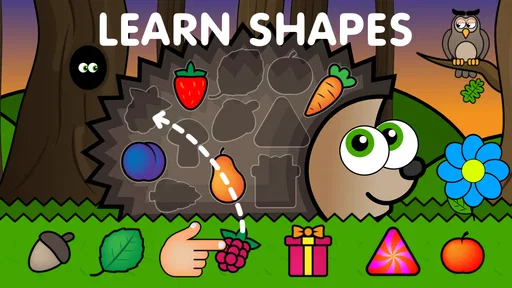
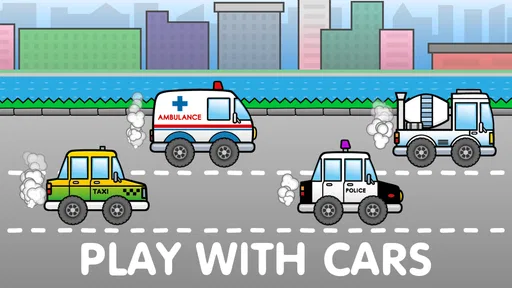
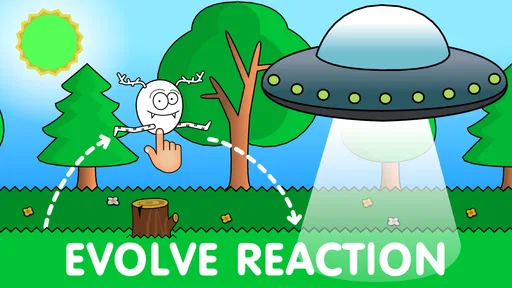
The first thing I noticed about Easy Games for Kids 2,3,4 Year is how it’s packed with a variety of mini-games designed specifically for toddlers. The app is colorful, engaging, and super easy to navigate. As soon as you open it, you'll see a vibrant menu with options that appeal to little eyes.
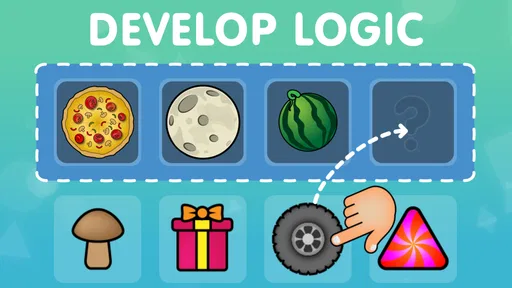
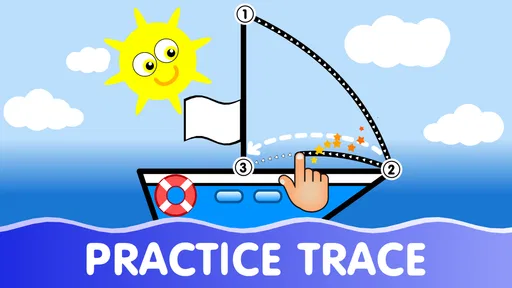
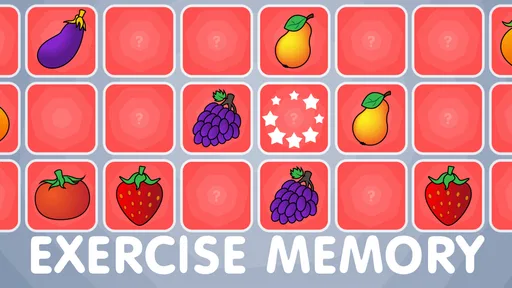
There are games for every interest – from puzzles and drawing to memory games and basic math. Each game has been crafted to enhance cognitive skills and motor coordination, which for us parents, is a huge plus. I mean, who wouldn’t want their child to learn while having fun?
How Does It Engage the Kids?
Kids these days are all about interaction, and this app nails it. The sounds and animations are delightful, keeping the little ones entertained for longer than I expected. My toddler was particularly fascinated by the animal sounds game. Hearing a lion roar or a cat meow while trying to match the sound to the right animal was not only fun but also educational.
Another feature that caught my attention was the drawing section. It’s like a mini art studio where kids can unleash their creativity without making a mess. I’ve seen some interesting artwork from my little Picasso, and it’s heartwarming to see their creativity flow.
Learning Through Play
One of the most impressive aspects of this app is its educational value. Every game is designed with a purpose. For instance, the color-matching game helps with color recognition, and the counting game introduces basic numbers. These games aren’t just about keeping them busy; they’re about engaging their brains in a meaningful way.
Worth Reading Before You Choose

EA SPORTS FC Mobile 26 Is a Bigger Football Game, but It Takes Time

Flipboard Shows What News Apps Must Do Beyond the Feed

Switching to Android Auto Means Rethinking Your Driving Routine

Google Calendar Makes a Crowded Week Easier to Manage

Ludo King Makes the Most of the Minutes Between Plans

Baby Panda World Brings Quick Play to Modern Phones, but Its Game Library Feels Busy
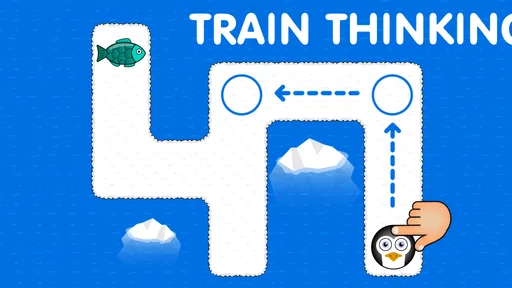
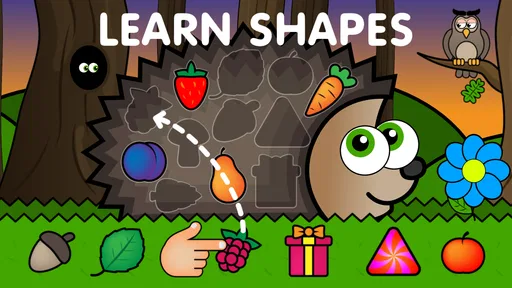
The app also encourages problem-solving skills. My child loves the puzzles, and it’s amazing to watch them think and figure out where each piece goes. It’s like watching their little brains work overtime, and as a parent, that’s incredibly satisfying.
Easy to Use
Let’s talk usability. This app is incredibly intuitive. Even my two-year-old can navigate through the games with minimal help, which makes it great for independent play. The developers clearly understand the importance of simplicity when it comes to apps for toddlers.
And can we talk about the lack of ads? Yes, please! There’s nothing more frustrating than an ad popping up in the middle of a game, and thankfully, this app keeps them to a minimum. It’s the small things like this that make a big difference.
A Routine That Keeps Play Manageable
I get the most practical use from an app like this by deciding what the child will do before handing over the device. For example, I might invite a preschooler to try a puzzle first, then choose a drawing activity, rather than leaving them to tap around indefinitely. That small bit of structure makes it easier to stop on a natural break and gives the child a clear sense of what comes next.
A realistic moment for it is a short wait at home while dinner is being prepared or a quiet stretch when a parent needs to finish one nearby task. I would sit within earshot, let the child work through one activity, and then ask them to show me what they matched or drew. The point is not to turn every tap into a lesson; a quick conversation afterward can connect the screen activity to something in the room, such as finding another object of the same color.
For a child who gets frustrated easily, I would begin with drawing or a familiar matching activity and save puzzles for a time when an adult can encourage them. If the child is confidently tapping through everything, I would resist treating that as proof they need harder digital games. They may get more from repeating a simple activity while naming colors or counting aloud together than from rushing to a more demanding app.
Settings and Small Practical Checks
Before handing over a phone or tablet, I check the device’s sound level and make sure the game is open at the activity I intend to use. These are ordinary device habits rather than special features, but they prevent a toddler from starting with unexpectedly loud audio or wandering through the menu while I am occupied. I also keep the session in a shared space, where I can see what is happening and the child can ask for help.
The game is free to download, with in-app purchases listed at $7.99 per item. That is worth discussing with a child only in the simplest terms: they can play the available activities, while an adult handles any purchase decisions. I would check the device’s purchase protections before letting a young child use it independently. This is a more useful precaution than assuming a child-friendly look automatically makes every tap consequence-free.
Its store rating is 4.3 from around 72,000 ratings, with more than 5 million installs. Those figures suggest that many families have tried it, but they do not tell me whether its particular activities will suit my child. I would make the decision based on how the child responds to the controls and whether the variety holds their attention without turning play into a struggle.
Faster Patterns for Parents and Children
Once a child recognizes the menu, a repeatable routine can make sessions smoother: choose one activity together, let the child try it without constant correction, and finish by asking them to describe or show one thing they noticed. This works especially well with drawing, where there may be no single right answer, and with animal matching, where a sound can prompt a simple conversation. It also gives a natural ending instead of relying on a sudden device grab.
Another useful approach is to match the activity to the child’s energy. If they are restless, a hands-on puzzle may hold attention better than asking them to sit still and concentrate on counting. If they are winding down, drawing can be a calmer choice. I would not keep switching games just to maintain novelty; frequent changes can make it harder for a young child to settle into any one task.
Adults can also use the activities as a cue for offline play. After a color game, invite the child to find a similarly colored toy; after drawing, offer paper and crayons if they want to continue. This does not require the app to store work or offer a special export option. It is simply a way to turn a brief digital activity into a prompt for talking, moving, or making something away from the screen.
Where It Fits Among Other Preschool Options
Compared with a single-purpose counting or alphabet app, this game’s mix of activities is convenient when a child’s interests shift quickly. A parent can move from a puzzle to drawing or sound matching without opening several separate apps. The trade-off is that a collection of mini-games may not provide the depth or carefully staged progression that a family wants from a dedicated early-learning program. If the goal is sustained practice in one specific skill, a focused resource or an adult-led activity may be a better fit.
It is also different from open-ended toys and paper activities. The app gives immediate sounds and visual responses, which can make it appealing to a toddler who is still learning how to use a touchscreen. Physical blocks, picture books, and crayons offer different kinds of movement and conversation, and they do not ask a child to look at a display. I would use this as one option in a broader mix, not as the default answer whenever a child needs something to do.
The game is best suited to caregivers looking for an uncomplicated collection of early activities for short, supervised sessions. Families who want a structured curriculum, detailed progress tracking, or a highly challenging game should look elsewhere rather than expecting this simple format to provide those things. The version listed is 1.26 and requires Android 6.0 or later; that makes checking the device’s operating-system version a sensible first step for Android households. The age rating is Everyone, which is reassuring as a broad classification but still does not determine whether a particular activity is suitable for a particular child.
Limits Worth Keeping in Mind
Simple controls are a strength, but they also mean some children may move through activities quickly or repeat the same favorite one without much variation. A child who needs frequent novelty may lose interest, while a child who enjoys repetition may happily return to familiar games. I would judge the app by the quality of the child’s engagement, not by how long it keeps them occupied.
There is also a difference between a game that introduces a concept and one that teaches it thoroughly. Matching colors or counting in an app can give a child a chance to practice, but it cannot replace an adult noticing confusion, adjusting the explanation, or relating the idea to daily life. If a child starts guessing randomly, I would pause and join in rather than letting the activity run on as background entertainment.
For very young children, independent navigation can be uneven even when a menu looks simple. A toddler may accidentally leave an activity, tap something unexpected, or need help understanding what the game is asking. I would be cautious about handing over a device when I cannot check in, especially at first. Familiarity may reduce interruptions, but it does not turn the app into a fully hands-off childcare tool.
Final Thoughts
In conclusion, Easy Games for Kids 2,3,4 Year is a fantastic app that combines fun and learning in a way that keeps little ones engaged. It’s a win-win for both kids and parents. So, if you’re looking for something entertaining and educational, give it a try. You might just find it’s the perfect addition to your child’s playtime.
My recommendation is a little more specific: try it if you want a low-friction set of activities to share with a toddler or preschooler, and be ready to guide the first sessions. I would skip it if you need a deep, step-by-step teaching tool or expect a child to use it for long stretches without supervision. Used in short turns, with a parent nearby and a clear stopping point, its variety can make it a handy part of playtime rather than a replacement for the many things young children learn away from a screen.
Pros
- Engaging and colorful graphics.
- Simple controls for young children.
- Wide variety of mini-games.
- Promotes cognitive development.
- No in-app purchases.
Cons
- Limited content for older kids.
- Requires internet for some features.
- Ads may interrupt gameplay.
- No parental control options.
- Music can become repetitive.
FAQs for Easy games for kids 2,3,4 year
What age group is 'Easy Games for Kids 2, 3, 4 Year' suitable for?
'Easy Games for Kids 2, 3, 4 Year' is specifically designed for toddlers and preschoolers between the ages of 2 to 4. The games are tailored to engage young minds with simple, interactive tasks that support early learning and development in a fun and safe environment.
What kind of games are included in the app?
The app includes a variety of educational games that focus on basic skills such as color recognition, counting, shapes, and problem-solving. Each game is designed to be intuitive and easy to navigate, ensuring young children can play independently or with minimal guidance.
Is the app safe for my child to use without supervision?
Yes, 'Easy Games for Kids 2, 3, 4 Year' is designed with child safety in mind. The app does not include any ads, in-app purchases, or external links that could lead your child away from the safe confines of the application. Parents can feel confident allowing their children to explore at their own pace.
Does the app require an internet connection?
No, 'Easy Games for Kids 2, 3, 4 Year' can be used offline. This makes it perfect for on-the-go entertainment, whether you're traveling or in a location without internet access. Your child can enjoy uninterrupted playtime without the need for Wi-Fi or data.
Are there any customization options available for the games?
While the app itself is quite straightforward, it does offer some customization options. Parents can adjust the difficulty level of certain games to match their child's developmental stage, ensuring a personalized learning experience that can grow with the child.


